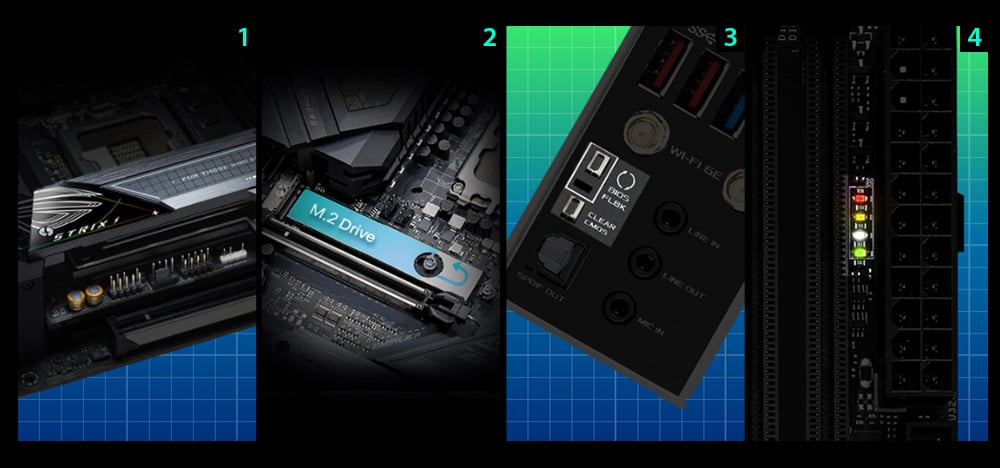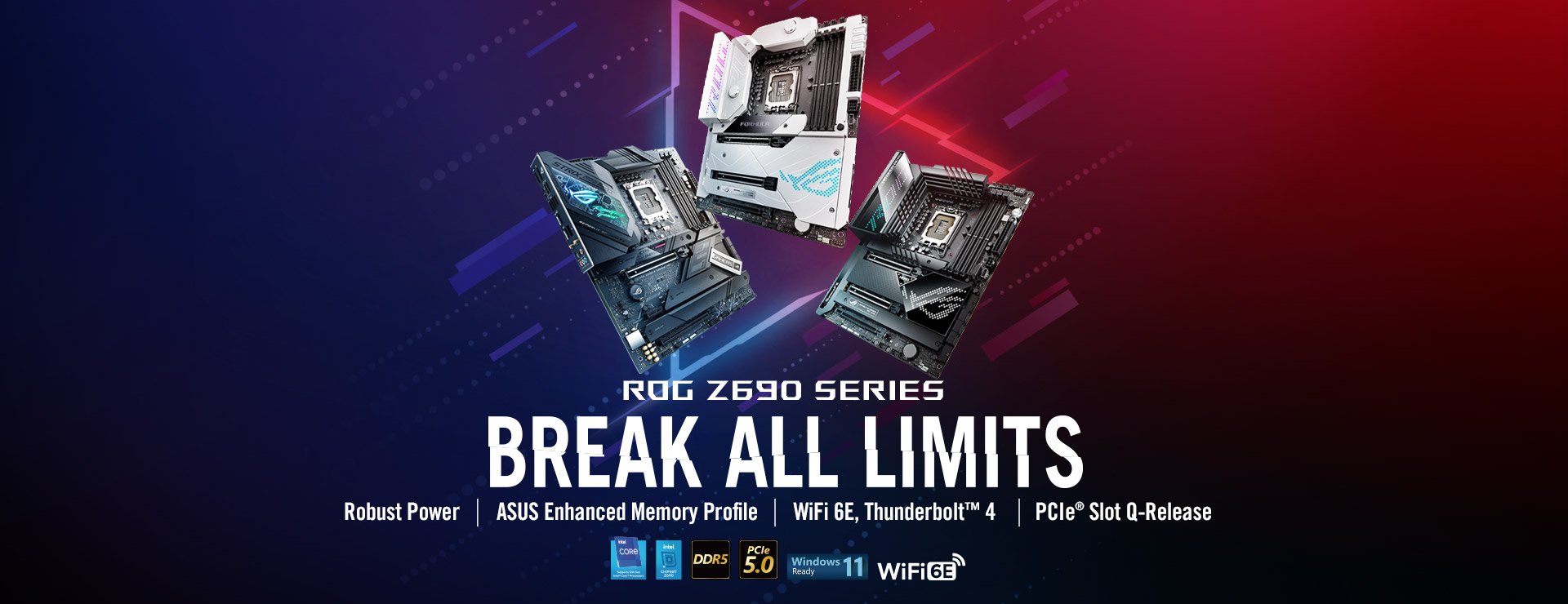
- Intel® LGA 1700 socket: Ready for 12th Gen Intel Core™, Pentium® Gold and Celeron® Processors
- Optimal Power Solution: 10+1 power stages with ProCool II power connector, high-quality alloy chokes and durable capacitors to support multi-core processors
- Optimized Thermal Design: Integrated I/O cover and VRM heatsinks with high conductivity thermal pad, L-shaped heatpipe, two onboard M.2 heatsinks and backplates
- High-performance Networking: On-board Intel® WiFi 6E (802.11ax) and Intel® 2.5 Gb Ethernet with ASUS LANGuard
- Best Gaming Connectivity: Supports HDMI® 2.1, two M.2 slots, 2 x ThunderboltTM 4 as well as 1 x USB 3.2 Gen 2x2 Type-C®
- Intelligent Control: ASUS-exclusive AI Overclocking, AI Cooling, AI Networking and Two-Way AI Noise-Cancelation to simplify setup and improve performance
- DIY Friendly Design: Bundled ROG Front Panel SATA Card, M.2 Q-Latch, Pre-mounted I/O shield, BIOS FlashBack™ button, and Clr CMOS button
- Unmatched Personalization: ASUS-exclusive Aura Sync RGB lighting, including a RGB header and two addressable Gen 2 headers
- Industry-leading Gaming Audio: ALC4080 with Savitech SV3H712 amplifier, along with DTS® Sound Unbound and Sonic Studio III
- Renowned Software: Bundled AIDA64 Extreme 60 days free trial version and intuitive UEFI BIOS dashboard with integrated MemTest86
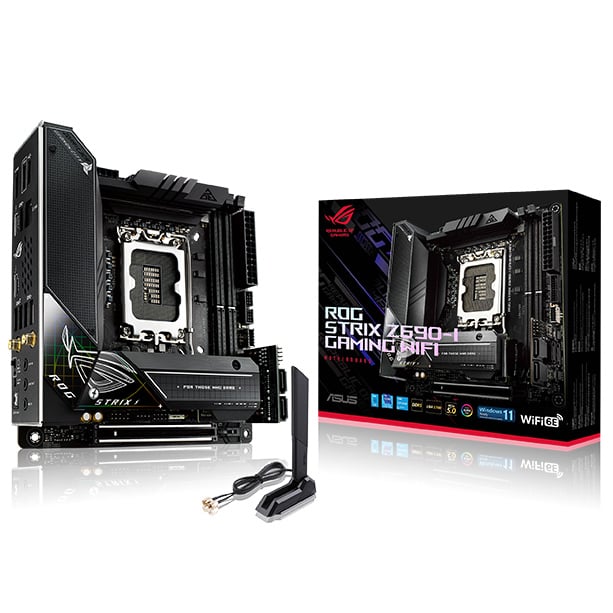
Power Design
Digital power control and an array of power stages provide the muscle needed to control the latest Intel CPUs.
-
ProCool II Power Connector
Premium chokes and durable capacitors are engineered to resist extreme temperatures, enabling performance that exceeds industry standards. -
Digi+ Power Control
The Digi+ voltage-regulator module (VRM) is one of the finest in the industry, ensuring ultra-smooth and clean power delivery to the CPU. -
ALLOY CHOKES AND DURABLE CAPACITORS
High-end chokes and durable capacitors are engineered to resist extreme temperatures, enabling performance that exceeds industry standards. -
Alloy Chokes and Durable Capacitors
Premium chokes and durable capacitors are engineered to resist extreme temperatures, enabling performance that exceeds industry standards.
Cooling Innovation
-
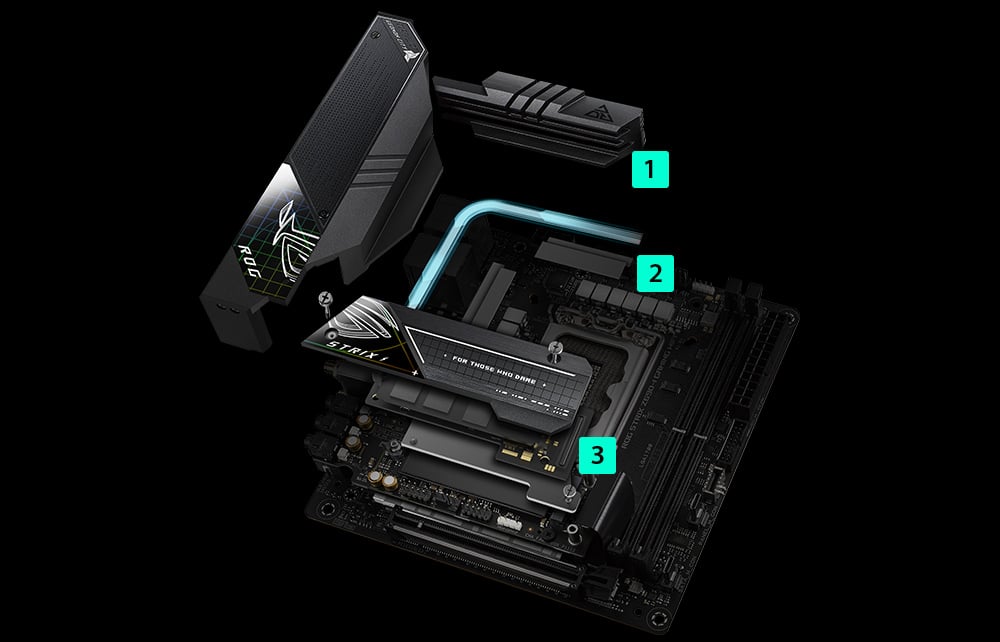
Integrated I/O Cover & VRM Heatsinks
Connected by an L-shaped heat pipe, the two VRM heatsinks and aluminum I/O cover provide ample mass and surface area to deal with the thermals of Intel’s latest processors. -
Thermal Pads
Specially engineered thermal pads efficiently transfer heat from the inductor and phase array to the heatsink. -
Triple-decker heatsink
The new triple-decker heatsink is cleverly designed to stack two M.2 slots, both with Q-Latch and full-size, double-sided heatsinks with thermal pads. And there’s a beefy chipset heatsink at the bottom to deliver great cooling performance.
Cooler by Design
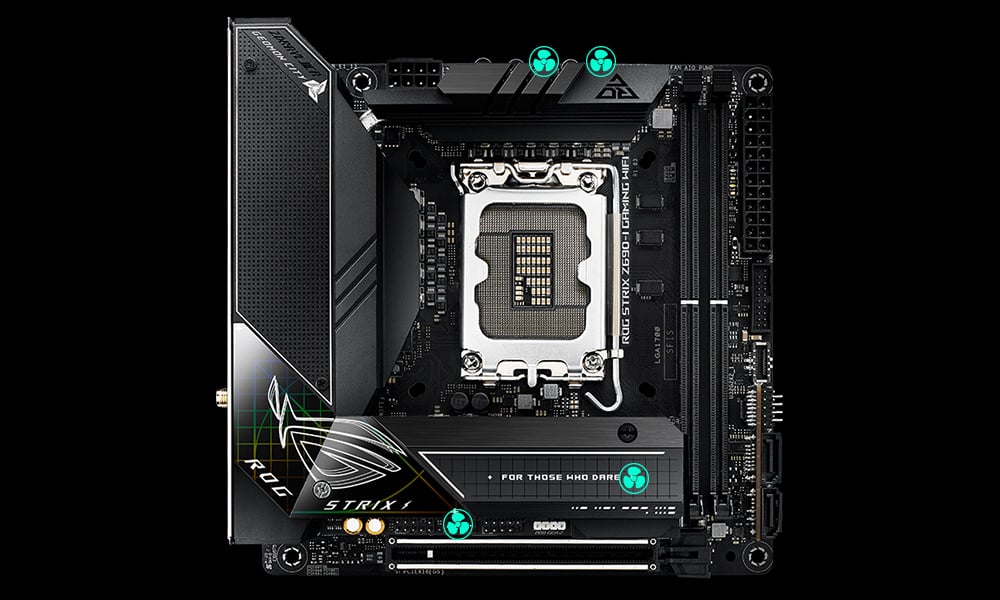
ROG Strix Z690 motherboards feature comprehensive cooling options that are configurable via the Fan Xpert 4 tool in Armoury Crate or within the UEFI BIOS.
-
CPU Fan Header
A dedicated pair of PWM/DC fan headers for CPU coolers
-
AIO Pump Fan Header
A dedicated PWM/DC header for self-contained water-cooling setups
-
4-pin PWM/DC Fan Headers
Each header supports auto-detection of PWM or DC fans
-
M.2 heatsink
Helps keep M.2 NVMe SSDs at optimum operating temperatures for consistent performance and reliability
-
M.2 backplate
Provides additional heat dissipation to deal with the thermal load of high-performance M.2 NVMe SSDs
DDR5 Overclocking Strength - ASUS Enhanced Memory Profile
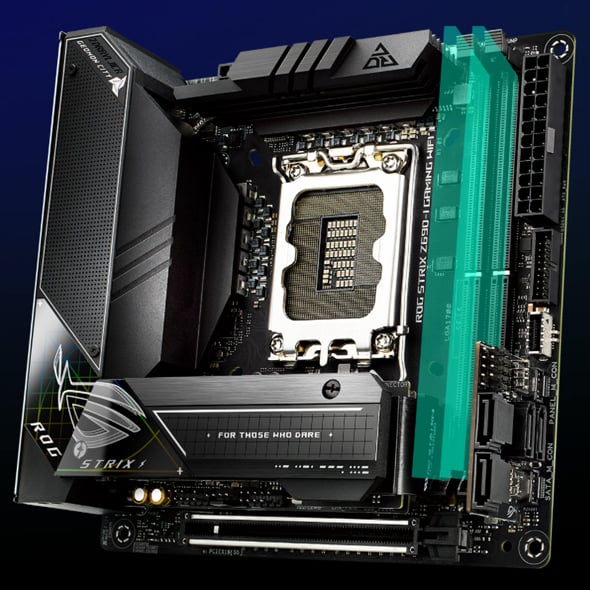
Comprehensive memory tuning options are the cornerstone of ROG motherboards. For DDR5, the Strix Z690 lineup breaks performance limits by providing a stacked suite of overclocking parameters for not only high-speed kits, but even entry-level memory modules that have a locked power management IC (PMIC).
- A dedicated circuit on the motherboard safely circumvents DDR5 memory PMIC restrictions, allowing you to step past the default 1.1-volt limit and push frequency and timings to the max.
- Ordinarily, a restricted PMIC that has been unlocked requires the system to be fully power-cycled each time memory voltage is adjusted. ROG motherboards leverage onboard hardware and firmware to cleverly work around this irksome limitation, enabling voltage adjustments to be applied through the same soft system-reset process employed for previous generations of DDR memory.
* ASUS Enhanced Memory Profile (AEMP) is an exclusive firmware feature for PMIC-restricted memory modules. AEMP automatically detects the memory chips on a kit and then presents optimized frequency, timing and voltage profiles that can be effortlessly applied to unleash performance.
PCIe Performance
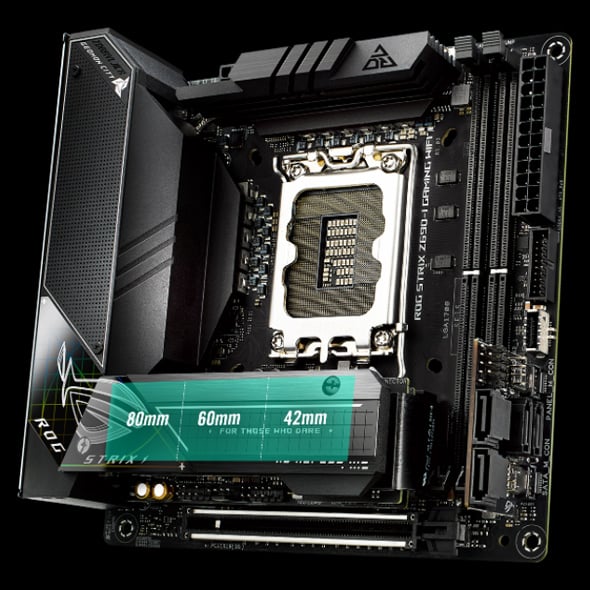
ROG Strix Z690-I Gaming WiFi features two onboard M.2 slots, both of which supports wickedly fast PCIe 4.0 drives for provide maximum storage flexibility and lightning-fast data speeds available with the latest Intel processors.
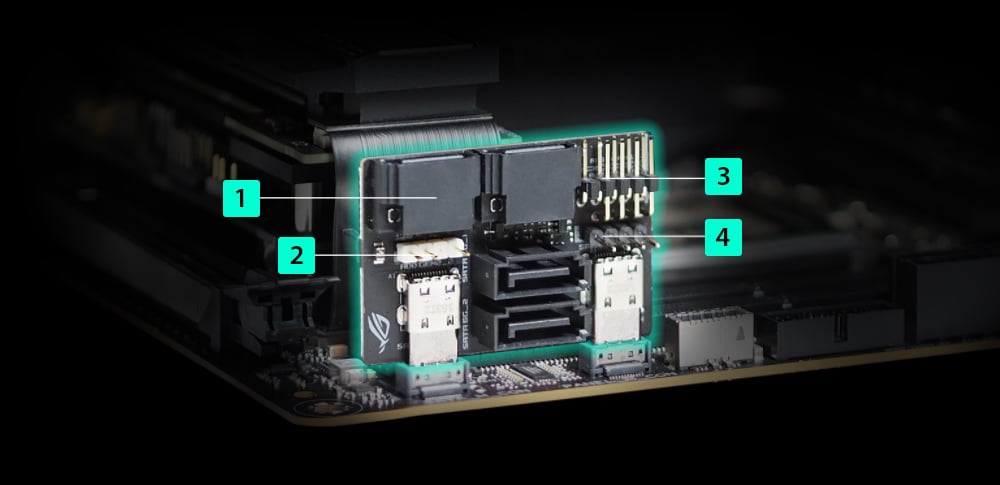
ROG Front Panel SATA Card
The ROG Strix Z690-I Gaming WiFi comes with an expansion card that provides additional functionality including four SATA ports, one ARGB lighting header, and connectors for a front panel header and a PC speaker. This efficient use of space enables builders to construct some of the most compact PC builds with full feature, or could also connect the power button via the 2-pin Power_BTN onboard for even more compact builds.
-
4 x SATA 6Gb/s ports
-
1 x Addressable Gen 2 header
-
1 x Front panel header
-
1 x Speaker header
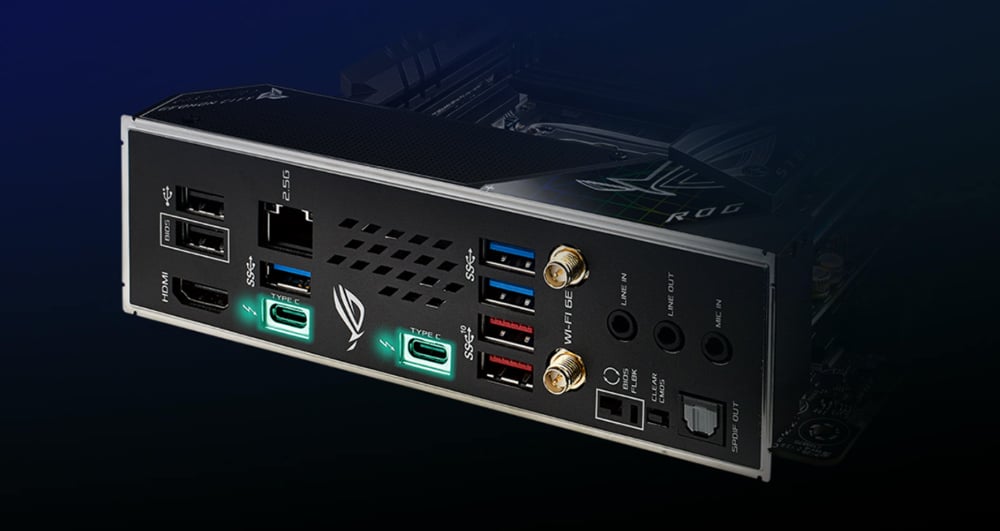
DUAL THUNDERBOLT™ 4 PORTS
Mini-ITX systems often find homes in entertainment centers for HTPC duty. The ROG Strix Z690-I Gaming WiFi stands ready with dual Thunderbolt™ 4 USB C ports on the rear I/O panel whose bidirectional 40 Gbps connectors can handle two external 4K displays at once, plus a variety of other compatible accessories.
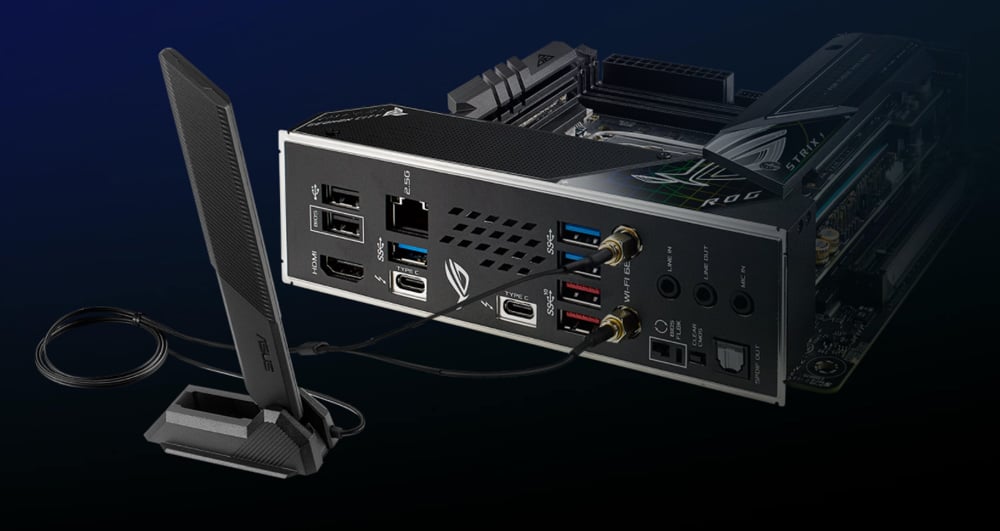
Networking
-
WIFI 6E
Onboard WiFi 6E technology takes advantage of the newly available radio spectrum in the 6 GHz band. It provides up to three times the bandwidth of the 5 GHz band and up to seven 160 MHz bands to deliver ultrafast wireless networking speeds and improved capacity as well as better performance in dense wireless environments.
*WiFi 6E availability and features are dependent on regulatory limitations and co-existence with 5 GHz WiFi.
Learn more about the ASUS WiFi 6E ecosystem. -
Intel® 2.5 Gb Ethernet
Onboard 2.5 Gb Ethernet gives your wired connection a boost, delivering up to 2.5X the speed of standard Ethernet connections for faster file transfers, low-lag gaming and high-resolution video streaming.
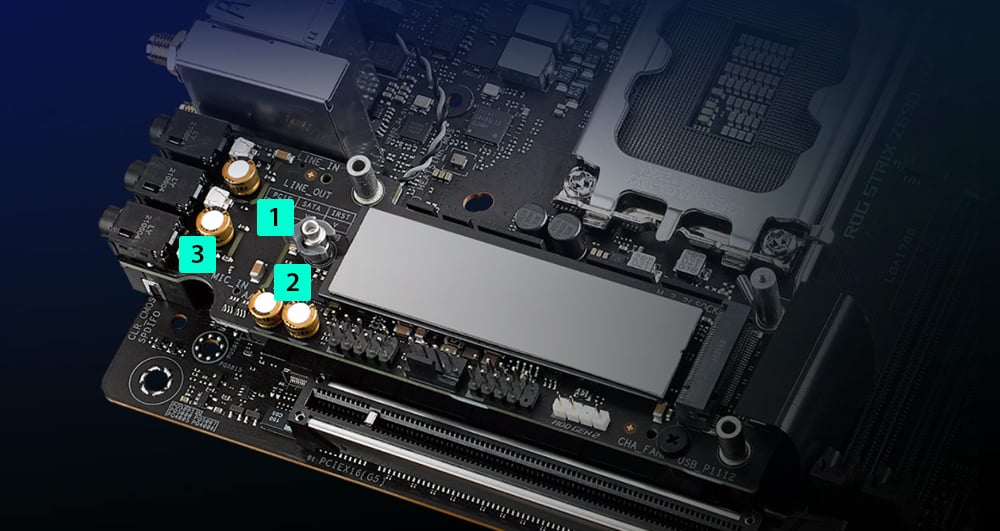
SUPREMEFX
ROG SupremeFX is a unique blend of hardware and software that provides superior audio. In ROG Strix Z690-I Gaming WiFi, SupremeFX features the ALC4080 codec to increase playback resolution from 192 kHz to 384 kHz across all channels. The front-panel output is streamed through a highly integrated Savitech amplifier that’s capable of driving of a wide variety of gaming headsets and high-fidelity headphones.
-
Audio path isolation
Specially designed circuit separation filters out electromagnetic interference from the motherboard and anything directly attached to it. -
Savitech SV3H712 amplifier
The integrated Savitech amplifier greatly improves THD+N performance from 72 to 83 dB, cleaning up distortion and noise for a clean, pristine sound. -
Premium audio capacitors
Carefully selected components produce a warm and natural sound with exceptional clarity and fidelity.
UNDENIABLY ROG STRIX
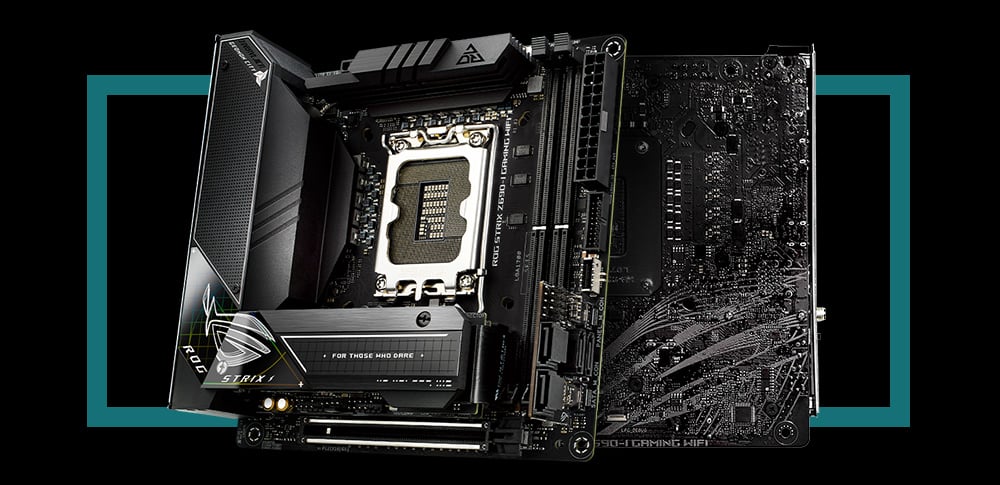
The ROG Strix Z690-I Gaming WiFi design language is defined by futuristic grids and meshes that may seem low-key at first, until users gaze upon the lower left-hand corner that glows with an iridescent grid pattern.
DIY Friendly
-
HEATSINK DESIGN WITH EASY DIY IN MIND
To enable a smooth DIY experience, two stacked M.2 slots are secured by a connector and a set of screws. -
M.2 Q-LATCH
The innovative Q-Latch makes it easy to install or remove an M.2 SSD without the need for specific tools. The design employs a simple locking mechanism to secure the drive and neatly eliminate traditional screws. -
CLR CMOS BUTTON
A quick press of the Clr CMOS button helps reset BIOS settings. It can also be used to reboot the PC if incorrect BIOS settings have been selected.BIOS FLASHBACK™ BUTTON
BIOS FlashBack™ is the simplest and safest way to update BIOS. Simply drop the (UEFI) BIOS file onto a FAT32-formatted USB stick, and plug it into the USB BIOS FlashBack port and press the button. Updates can even be performed without having memory or a CPU installed. -
Q-LED
Onboard LEDs indicate power status or issues with the CPU, memory, graphics card or boot device.